Add Google Bike or Google Transit layer to your Google Maps API
Posted April 9, 2010
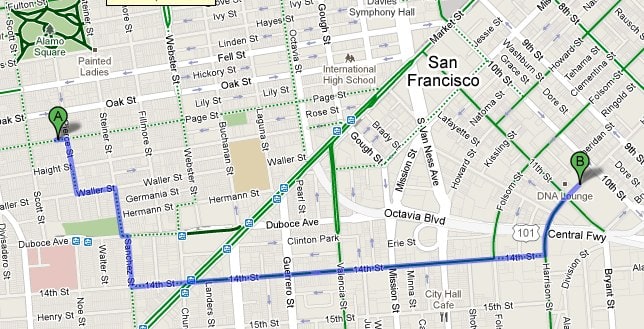
Using Google Maps API you can choose between a few different background layers: Standard, Satellite, Hybrid and Physical. This is done using the setMapType() method.
However, there currently isn't a way to get display the transit or bike map layer. However, Google Maps allows you to create your own tile layer and load in into the map. It's not too difficult to create your own custom tile layer and actually refer to the actual bike map or transit map tiles and load them directly from Google.
The URL template you need for getting bike maps is:
http://mt1.google.com/vt/lyrs=m@121,bike&hl=en&x={X}&y={Y}&z={Z}and for transit maps:
http://mt1.google.com/vt/lyrs=m@121,transit|vm:1&hl=en&opts=r&x={X}&y={Y}&z={Z}To create your own tile layer, use one of the URL templates above:
        function initialize() {
          var map = new GMap2(document.getElementById("map_canvas"));
          map.setCenter(new GLatLng(37.880002, -122.189941), 11);

          //Create new Tile Layer
          var gTileUrlTemplate = 'http://mt1.google.com/vt/lyrs=m@121,bike&hl=en&x={X}&y={Y}&z={Z}';
          var tileLayerOverlay = new GTileLayerOverlay(
            new GTileLayer(null, null, null, {
              tileUrlTemplate: gTileUrlTemplate,
              isPng:true,
              opacity:0.8
            })
          );
          map.addOverlay(tileLayerOverlay);
        }
These URLs could change at any time, so there is no guarantee that this won't break. You can see this in action at whereisbart.com.